ERP Tutorial 10 — Master Data: Items, Customers & Suppliers
Nine tutorials in, every transaction we've touched — sales orders, purchase orders, BOMs, work orders — has been quietly referencing three registries without ever showing them. This tutorial opens the filing cabinets: Items, Customers, and Suppliers, grouped in the sidebar as Master Data. Transactions come and go; master data is what they all point at.
The Item Master
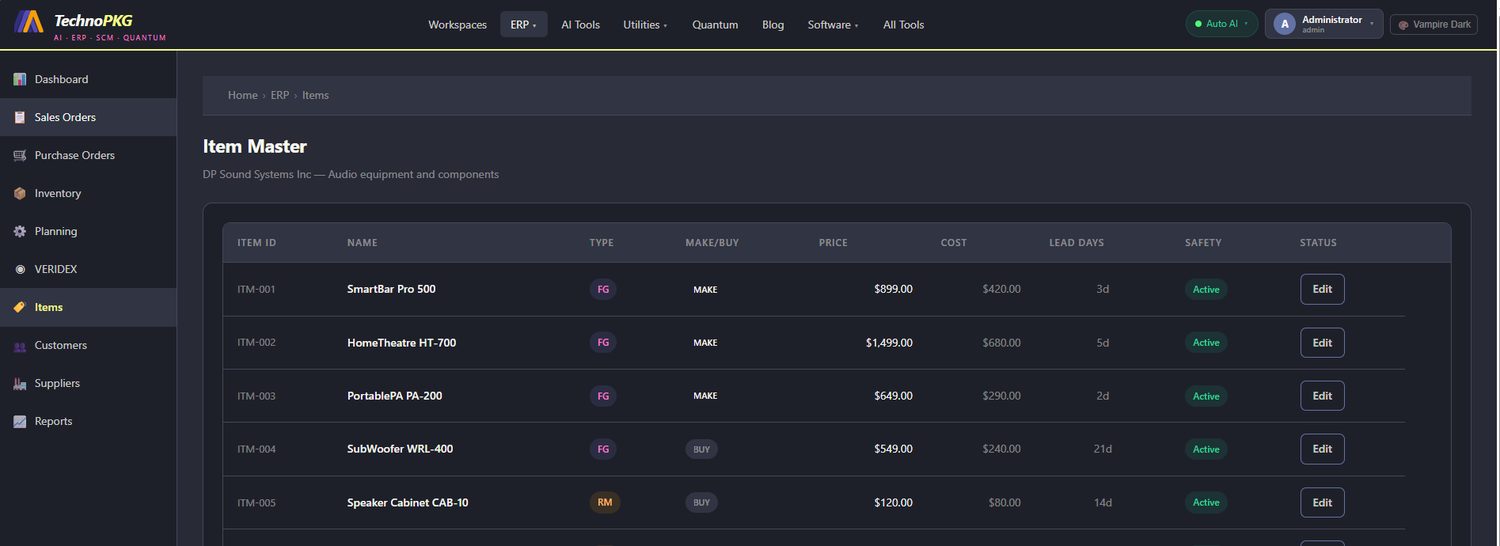
Open ERP → Items — DP Sound Systems Inc, audio equipment and components. Every product and part in the system has exactly one row here:
| Item ID | Name | Type | Make/Buy | Price | Cost | Lead Days |
|---|---|---|---|---|---|---|
| ITM-001 | SmartBar Pro 500 | FG | MAKE | $899.00 | $420.00 | 3d |
| ITM-002 | HomeTheatre HT-700 | FG | MAKE | $1,499.00 | $680.00 | 5d |
| ITM-003 | PortablePA PA-200 | FG | MAKE | $649.00 | $290.00 | 2d |
| ITM-004 | SubWoofer WRL-400 | FG | BUY | $549.00 | $240.00 | 21d |
| ITM-005 | Speaker Cabinet CAB-10 | RM | BUY | $120.00 | $80.00 | 14d |
Four columns do most of the planning work:
Type — FG (finished good) or RM (raw material) decides which side of a BOM an item lives on. ITM-005, the Speaker Cabinet, is the same $80 component you watched inside BOM-001 in Tutorial 7 — this row is where that cost comes from.
Make/Buy — the single flag that routes MRP's output (Tutorial 4): MAKE items become planned work orders, BUY items become planned purchase orders. Note the interesting case: the SubWoofer WRL-400 is a finished good that's bought, not built — a resale product, no BOM, no routing, straight from supplier to customer.
Price vs Cost — the margin, sitting in plain sight. The SmartBar sells at $899 against a $420 cost; the HomeTheatre at $1,499 against $680. Every VERIDEX score and every S&OP revenue projection ultimately reads these two columns.
Lead Days — how long the item takes to get: 3 days to make a SmartBar (exactly RTG-001's lead time from Tutorial 8), 21 days to buy a SubWoofer, 14 to buy a cabinet. MRP's date arithmetic runs entirely on this column.
Customers
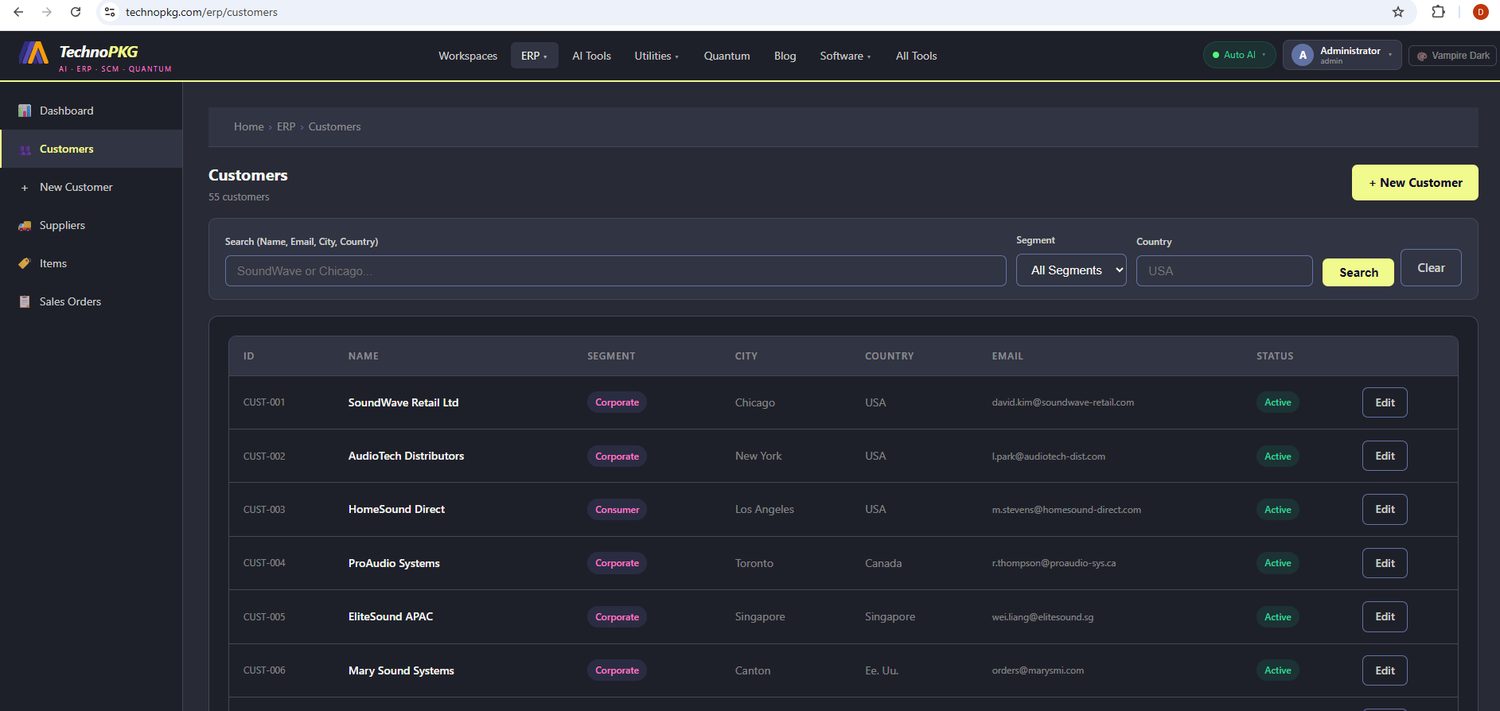
Open ERP → Customers: 55 customers, searchable by name, email, city, or country, filterable by segment. The first rows show the spread — SoundWave Retail Ltd (Corporate, Chicago), AudioTech Distributors (Corporate, New York), HomeSound Direct (Consumer, Los Angeles), ProAudio Systems (Corporate, Toronto), EliteSound APAC (Corporate, Singapore). A real customer base spanning segments and continents.
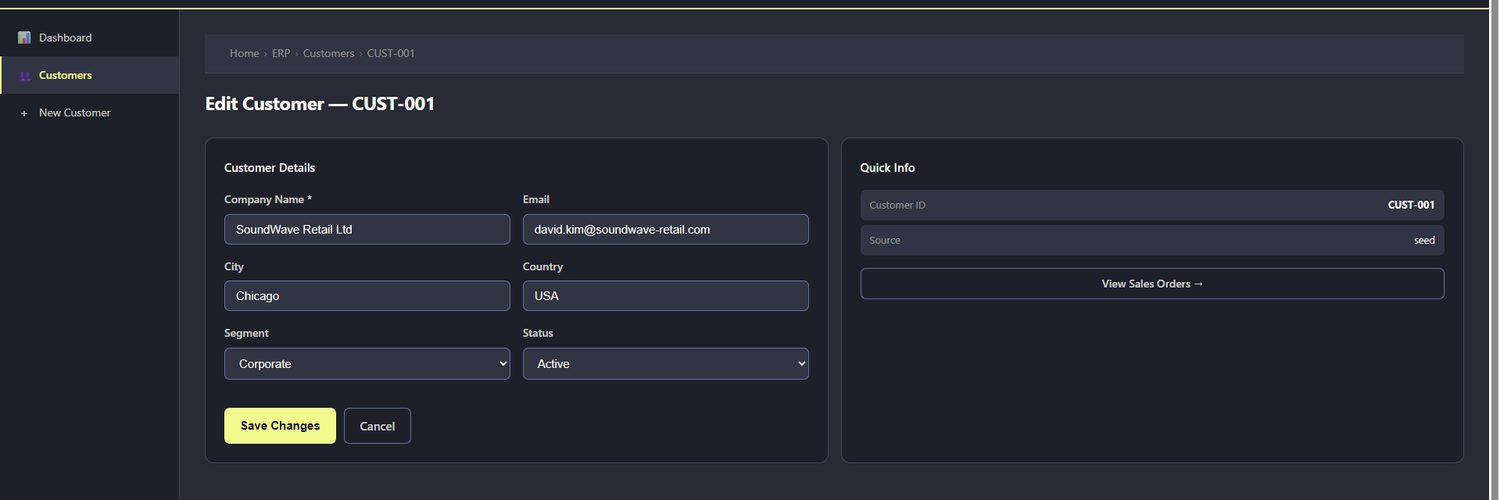
Open CUST-001 and the edit form shows the record's anatomy: company name, email, city, country, segment, status — plus a Quick Info panel with the customer ID, the record's source, and a View Sales Orders → link. That link is the master-data pattern in one button: the customer record doesn't contain orders, it's referenced by them, and the system can walk the reference in either direction.
Suppliers
ERP → Suppliers presents the approved supplier list as cards, and each card is a compact contract summary. The first two:
PrecisionParts Inc (SUPP-001) — contact James Harrington, Detroit. Payment Net 30, lead time 14 days, supplies ITM-005 and ITM-007 — the speaker cabinets and audio cables from BOM-001. The card even notes: primary supplier for speaker cabinets and cables, ISO 9001 certified.
AudioComponents Ltd (SUPP-002) — contact Sarah Chen, Manchester UK. Payment Net 45, lead time 10 days, supplies ITM-006 (the amplifier board), with a note that dual-source qualification is underway — someone is derisking the single-supplier amplifier line.
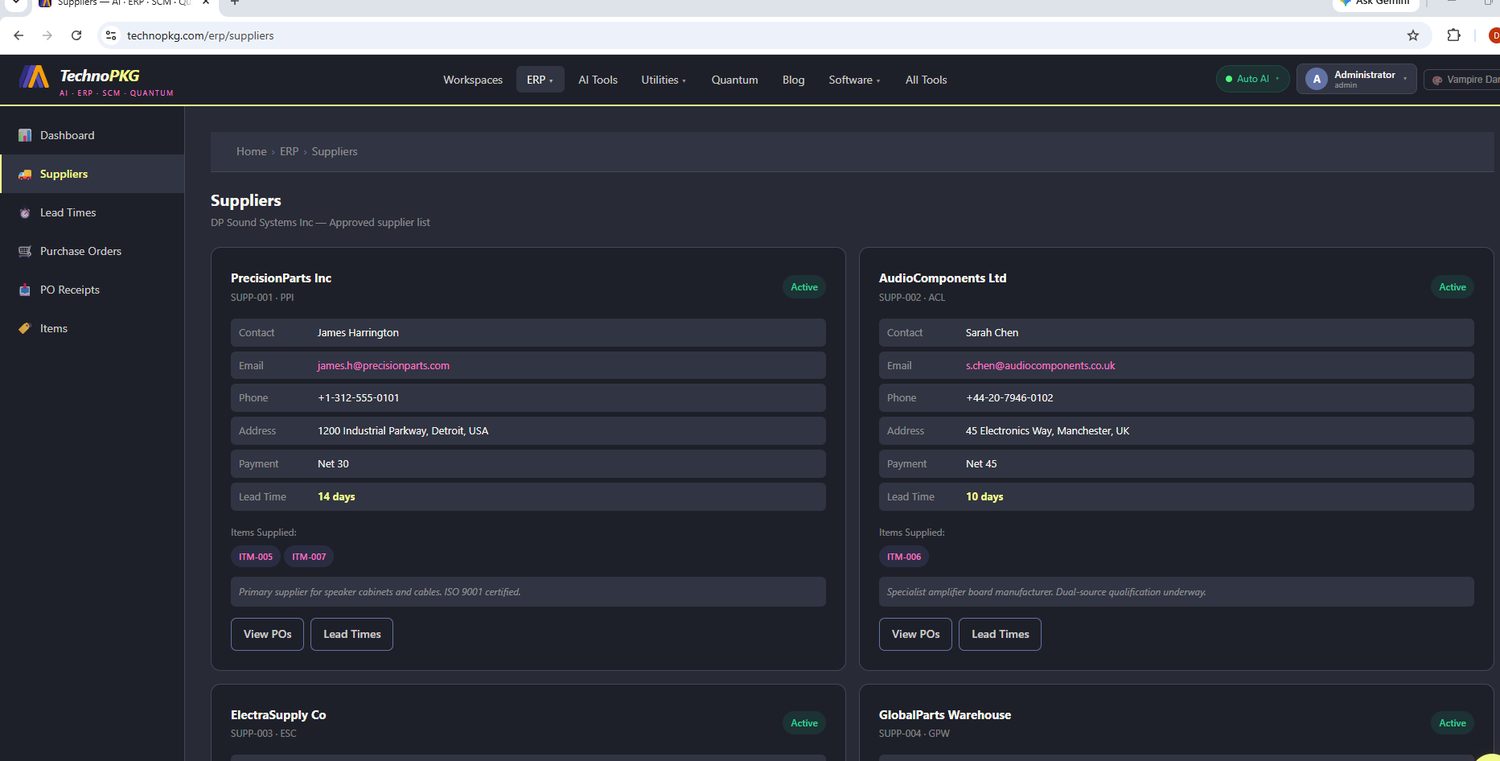
Two more cards follow (ElectraSupply Co, GlobalParts Warehouse), and each carries View POs and Lead Times buttons — again the reference pattern, hopping from the master record to its transactions.
Now the cross-check that ties the registries together: PrecisionParts' lead time is 14 days, and the Item Master's ITM-005 row says… 14 days. The item's lead time is its supplier's promise. When MRP told a buyer in Tutorial 4 how early to order cabinets, this pair of records is what it consulted.
Why Master Data Is the Quiet Foundation
Look back across the series and count the references. A sales order points at a customer and an item. A purchase order points at a supplier and an item. A BOM is a structure of items; a work order points at an item, a BOM, and a routing. Get one master record wrong — a stale cost, a wrong lead time, a mistyped segment — and every transaction referencing it inherits the error. That's why real ERP implementations spend more time cleaning master data than configuring anything else.
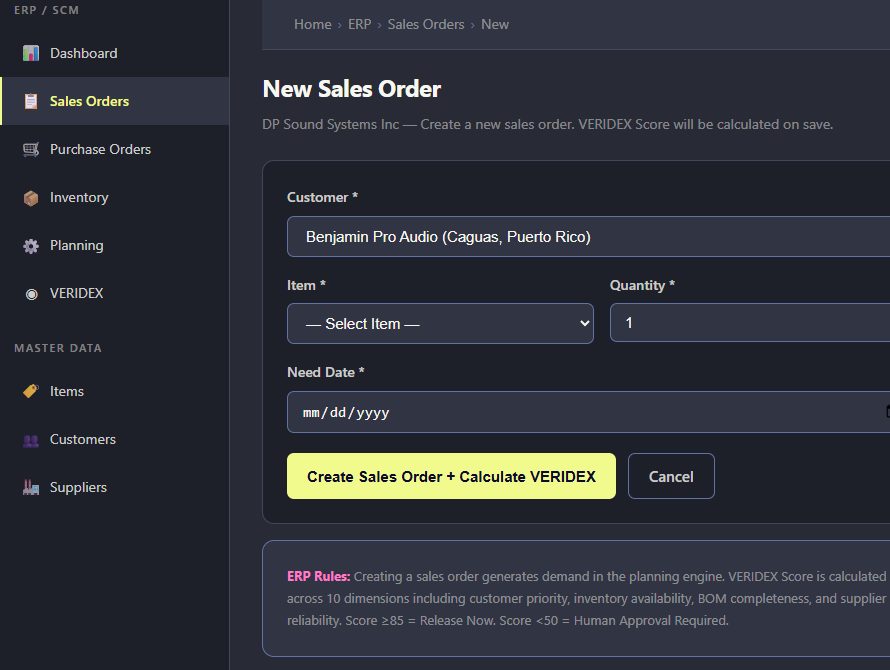
The portal makes the payoff explicit on the New Sales Order form, which notes that the VERIDEX score is calculated across ten dimensions including customer priority, inventory availability, BOM completeness, and supplier reliability — with score ≥85 releasing automatically and score <50 requiring human approval. In other words: the decision engine's inputs are exactly these registries. Clean masters, trustworthy scores.
Try It Yourself
- In the Item Master, compute the margin percentage for each finished good — which product earns its keep?
- Find ITM-005 in three places: this Item Master, inside BOM-001 (Tutorial 7), and on PrecisionParts' card. One item, three views, one record.
- Filter Customers by the Consumer segment and compare the count against Corporate.
- Read AudioComponents' dual-source note, then ask the MRP question: what happens to amplifier supply if a 10-day single source slips?
Next up: Tutorial 11 — the edges of the system: Shipments outbound, Supplier Lead Times inbound, and the Reports that watch it all.
Comments (0)