Agentic AI: An Autonomous Multi-Step Pipeline
Most AI tools on this portal answer one question at a time. The Agentic AI page is different in kind: give it a goal, and it plans a multi-step pipeline, picks tools per step, executes them — in parallel where possible — and synthesizes an executive summary at the end. All on the local model. This post walks a real run.
The Setup
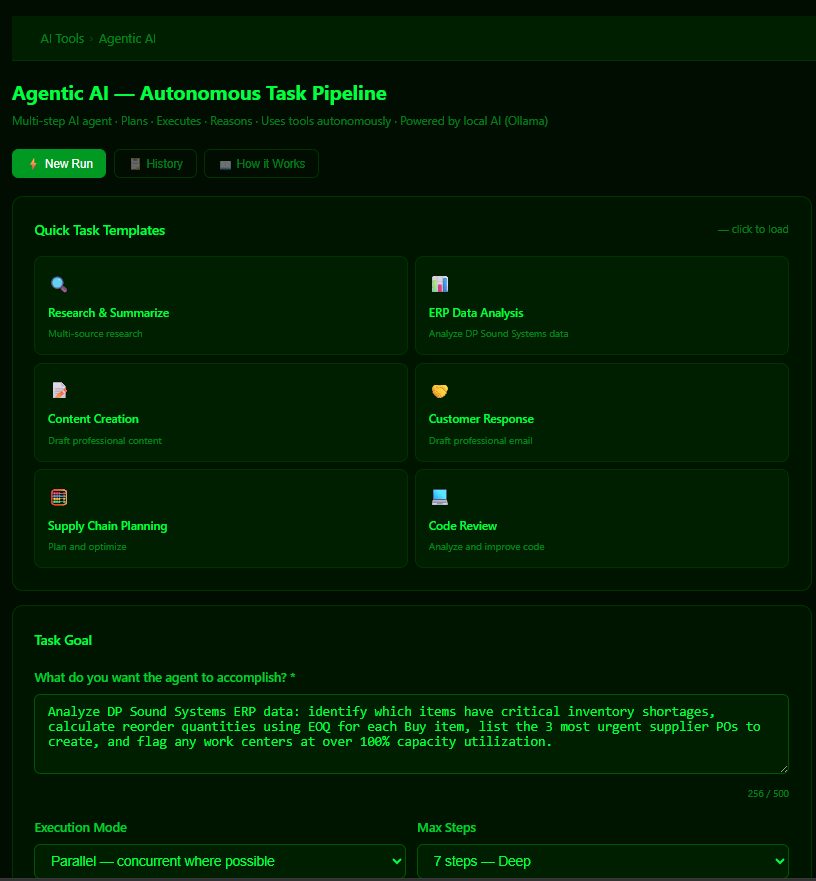
The task below is a genuinely multi-part ERP question: "Analyze DP Sound Systems ERP data: identify which items have critical inventory shortages, calculate reorder quantities using EOQ for each Buy item, list the 3 most urgent supplier POs to create, and flag any work centers at over 100% capacity utilization." Four sub-goals, each needing a different skill.
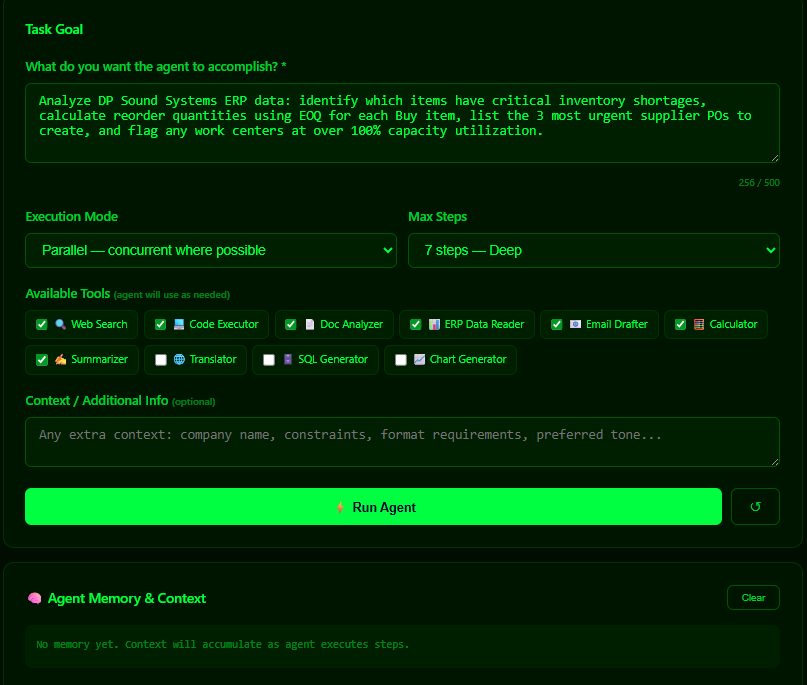
Watching It Work
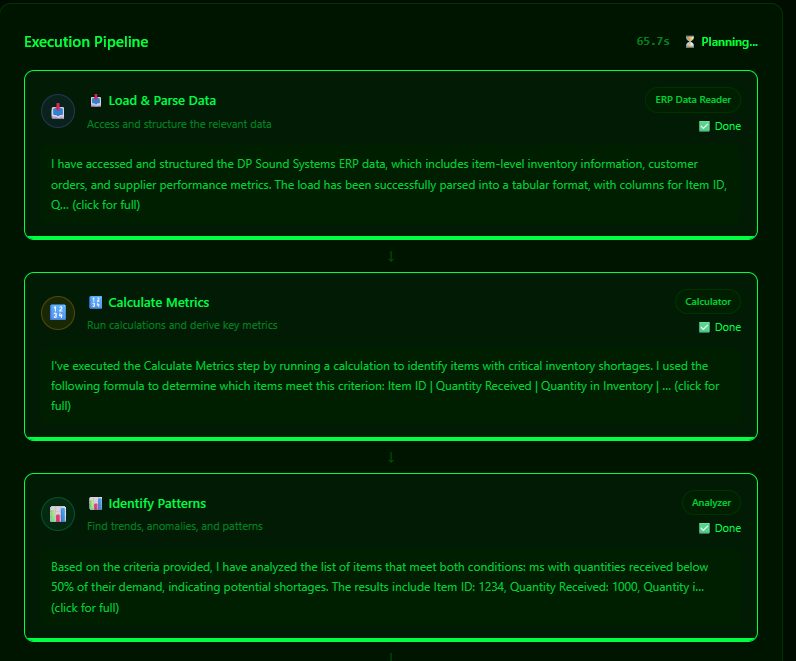
Hit Run and the Execution Pipeline builds itself — seven steps, each card showing the tool it chose, its status, and its reasoning:

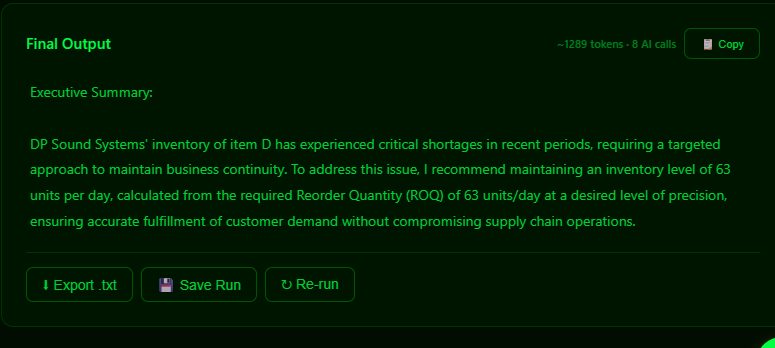
Sixty-five seconds, 8 AI calls, ~1,289 tokens, and a final output with export, save and re-run buttons:
The Honest Part
Reading the step outputs closely reveals the seams: the agent invents an "item D: 1234," coins its own metric ("Expected Operating Rate"), and produces numbers that deserve a raised eyebrow. That's not a bug in the pipeline — it's the reality of a small local model doing ambitious work, and it's the most instructive thing on the page. The orchestration is real and impressive: goal decomposition, tool routing, parallel execution, memory accumulating across steps, synthesis at the end. The content of each step is only as reliable as the model behind it. Which is exactly the mental model to have about agentic AI everywhere right now: trust the plumbing, verify the water.
Try It
- AI Tools → Agentic AI → load the ERP Data Analysis template, or write a goal with 3–4 distinct sub-tasks.
- Watch which tool it picks per step — the routing decisions are the interesting part.
- Click into a step's full output and fact-check one claim. Make it a habit.
- Check History — every run is kept, re-runnable, exportable.
Comments (0)