AI Toolbox: Error Decoder and Contract Analyzer
The AI Tools workspace on this portal keeps growing — all of it running on a local model, no API keys, nothing leaving the server. This post introduces the two newest members of the toolbox and shows real output from each: the Error Decoder and the Contract Analyzer.
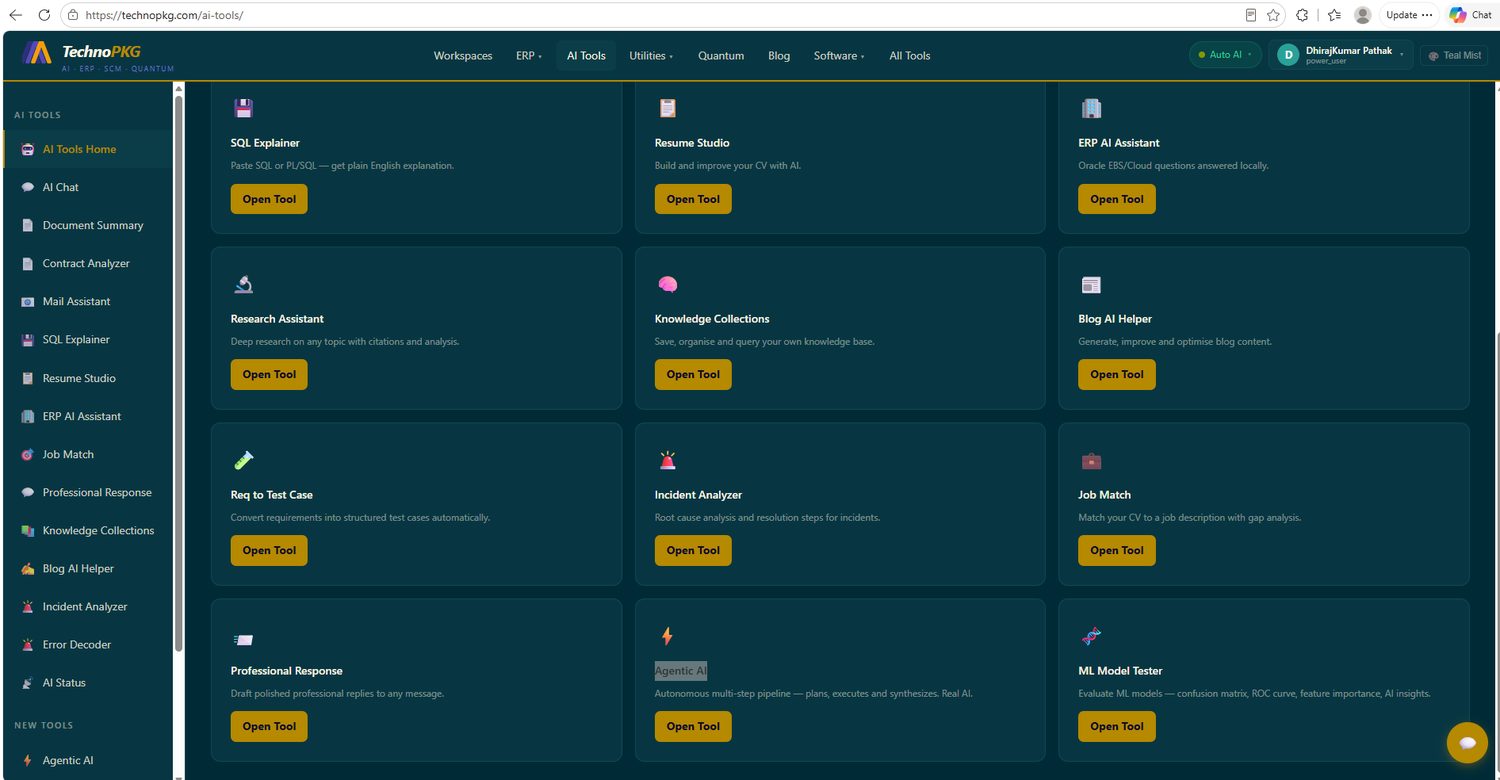
Error Decoder — Paste the Error, Get the Plan
The familiar ritual — an error appears, it goes into a search engine, and twenty tabs later the answer is still half-formed. The Error Decoder collapses that: paste any error — Oracle, SQL, Python, Linux, anything — pick a context hint, and get a structured decode in four fixed sections.
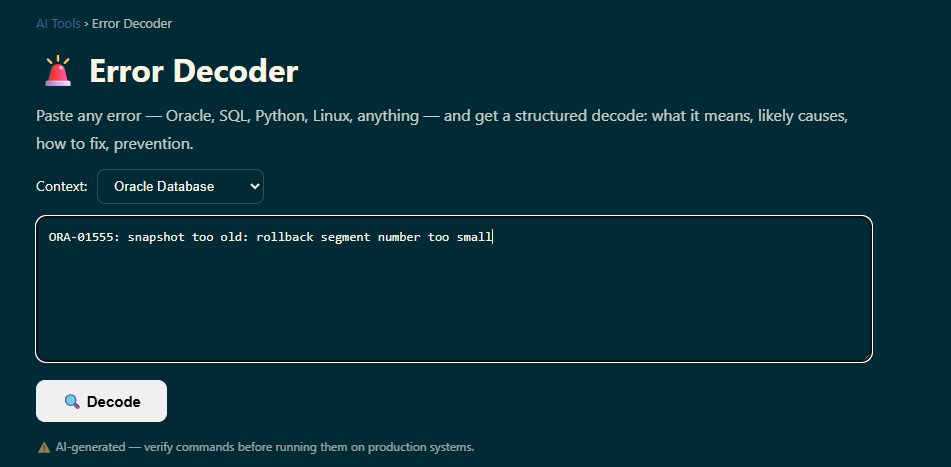
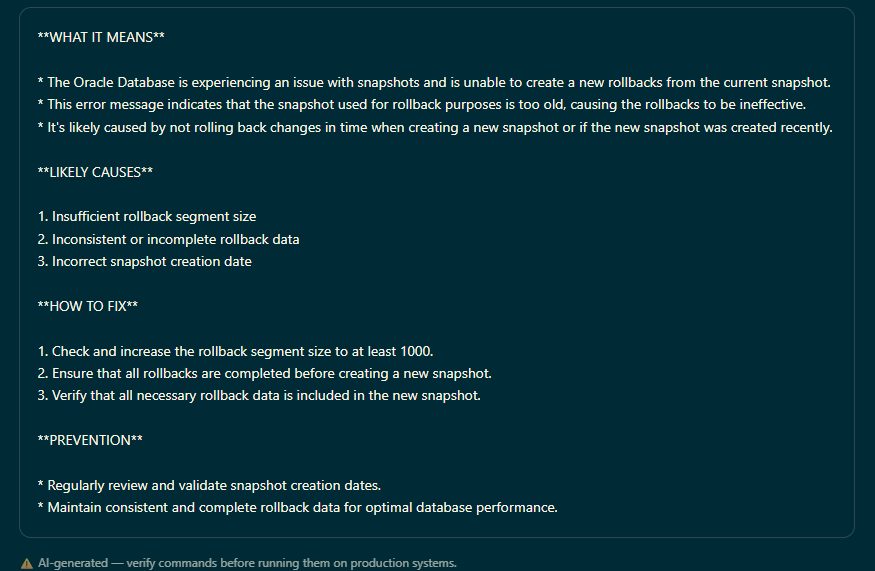
The four sections are enforced by the prompt, so every decode reads the same way: WHAT IT MEANS in plain English, LIKELY CAUSES numbered by probability, HOW TO FIX as concrete steps, and PREVENTION. The tool handles the local model's cold start gracefully — if the model is still loading, it waits ten seconds and retries itself. And the footer says what every AI tool should: verify commands before running them on production.
Contract Analyzer — Six Sections and a Red-Flag Hunt
Upload a contract (PDF, DOCX, TXT) or paste its text, and the analyzer returns a structured business read. Here it is on a software license agreement:
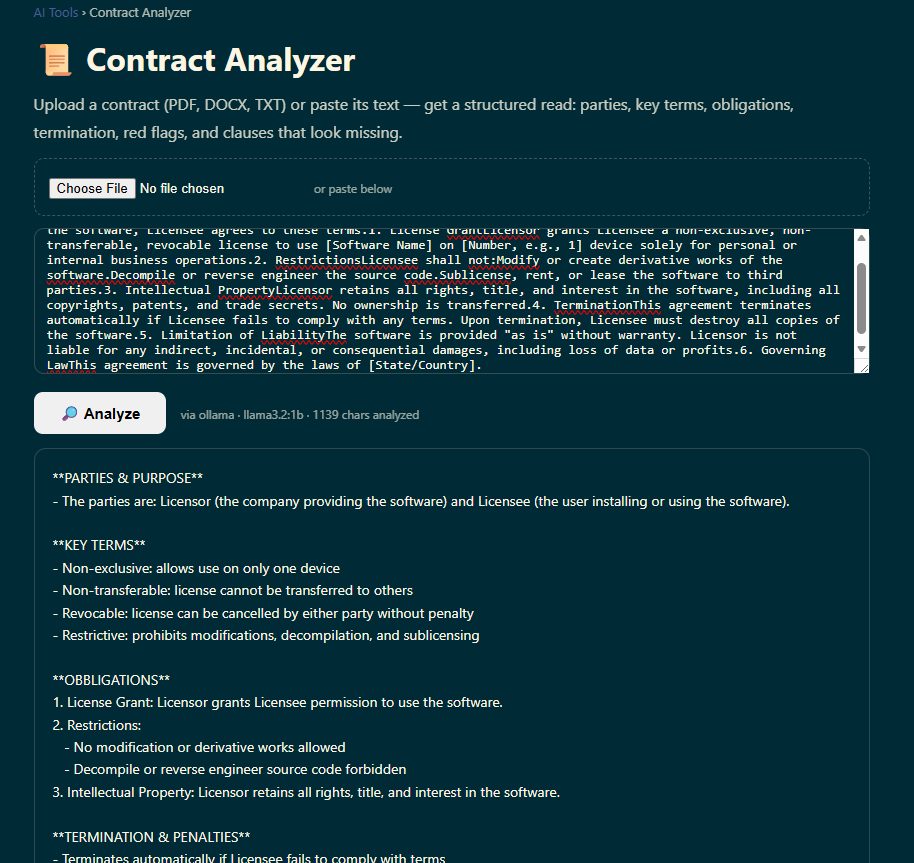
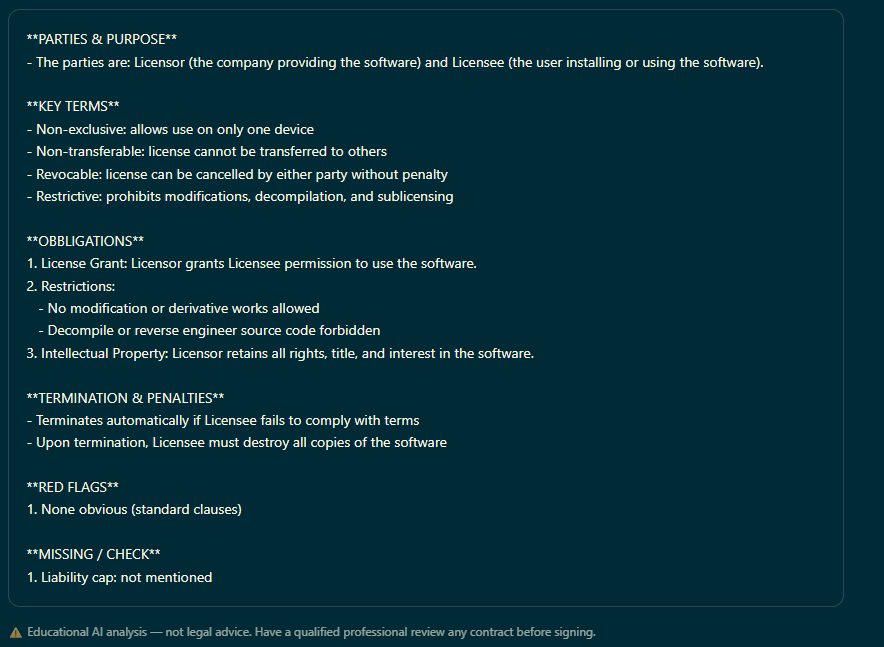
The two closing sections are where the value concentrates. RED FLAGS hunts for one-sided or unusual clauses — here it honestly reported "none obvious (standard clauses)" rather than inventing drama. And MISSING / CHECK looks for standard protections that aren't there — it flagged the absent liability cap, which is exactly the kind of omission a busy reader skims past. Long documents get smart truncation (start and end preserved) with a visible notice, and every analysis carries the disclaimer that matters: educational AI analysis, not legal advice — have a professional review anything before signing.
The Pattern Behind Both
Both tools follow the same recipe, and it's a recipe worth stealing: a rigid section structure enforced by the prompt (so output is scannable, never rambling), a local model (private by default), graceful cold-start handling, and honest framing about what AI output is and isn't. Small tools, sharply scoped, beat one giant chat box for everyday work.
Try Them
- AI Tools → Error Decoder → paste the last error that ruined your afternoon.
- AI Tools → Contract Analyzer → feed it a subscription agreement you clicked "accept" on without reading.
- Compare the sections against your own read — the interesting cases are where you disagree.
Comments (0)