ML Model Tester: A Hands-On Machine Learning Lab
The ML Model Tester under AI Tools is a hands-on lab for machine learning: pick a model type, an algorithm, and a dataset, tune the hyperparameters, and train a real model right in the browser — then read genuine metrics, a confusion matrix, feature importances, a learning curve, and an ROC curve. Every number comes from an actual scikit-learn fit running on the server, so the results behave exactly like real machine learning, because they are.
Setting Up a Run
The page is organized as a workbench. On the left, choose a model type (classification, regression, clustering, and more), an algorithm (each with a one-line description of its strengths), and a dataset — including standard benchmarks like Wine Quality, Iris, and Digits, plus a DP Sound Systems supply-chain set. Hyperparameters — train/test split, cross-validation folds, number of estimators, max depth — sit just below.
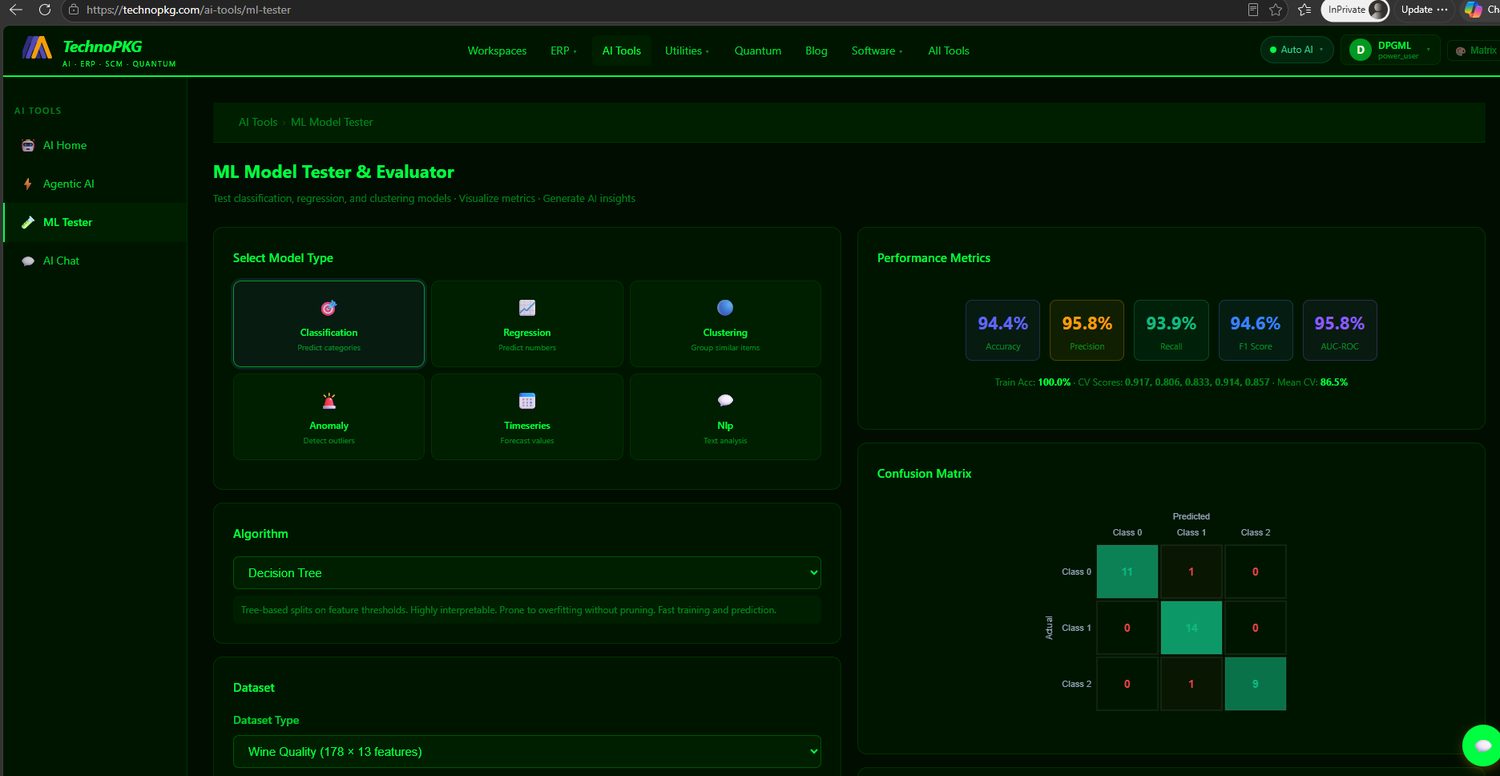
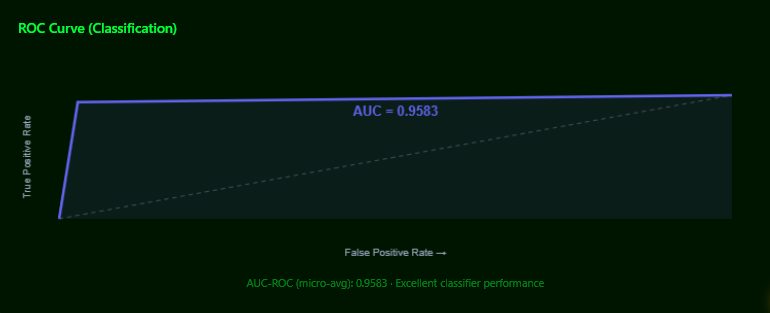
The Performance Metrics panel adapts to the task. Classification shows accuracy, precision, recall, F1, and AUC-ROC, with cross-validation fold scores below. Regression swaps in R², RMSE, MAE, and MSE. Clustering reports silhouette score and inertia. The Confusion Matrix renders at the true class count — three classes for wine, ten for digits — with correct predictions on the diagonal.
Reading the Model
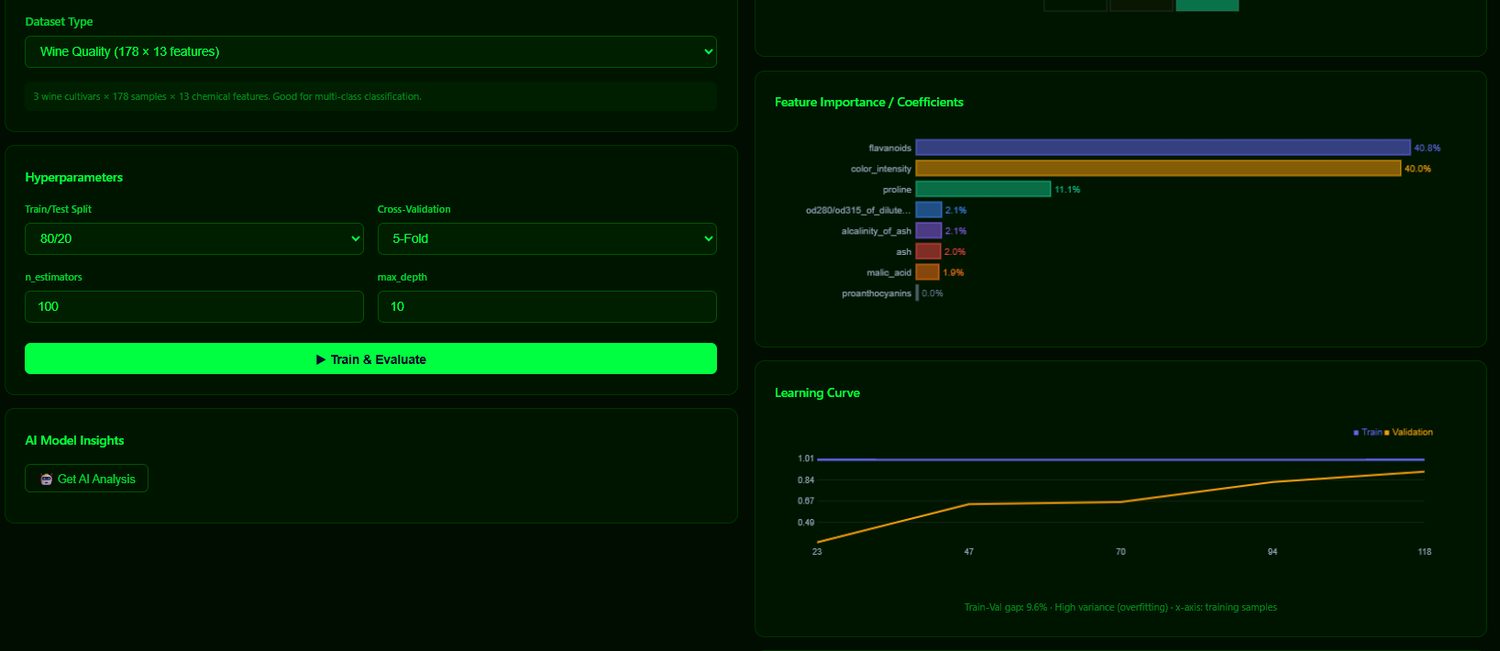
The Feature Importance chart names the actual columns that drove the model's decisions — not generic placeholders — so the output is interpretable against the domain. The Learning Curve plots training versus validation performance as data grows, and calls out the gap between them: a small gap means a healthy fit, a large one signals overfitting. That single diagnostic is one of the most useful things a modeler can see.
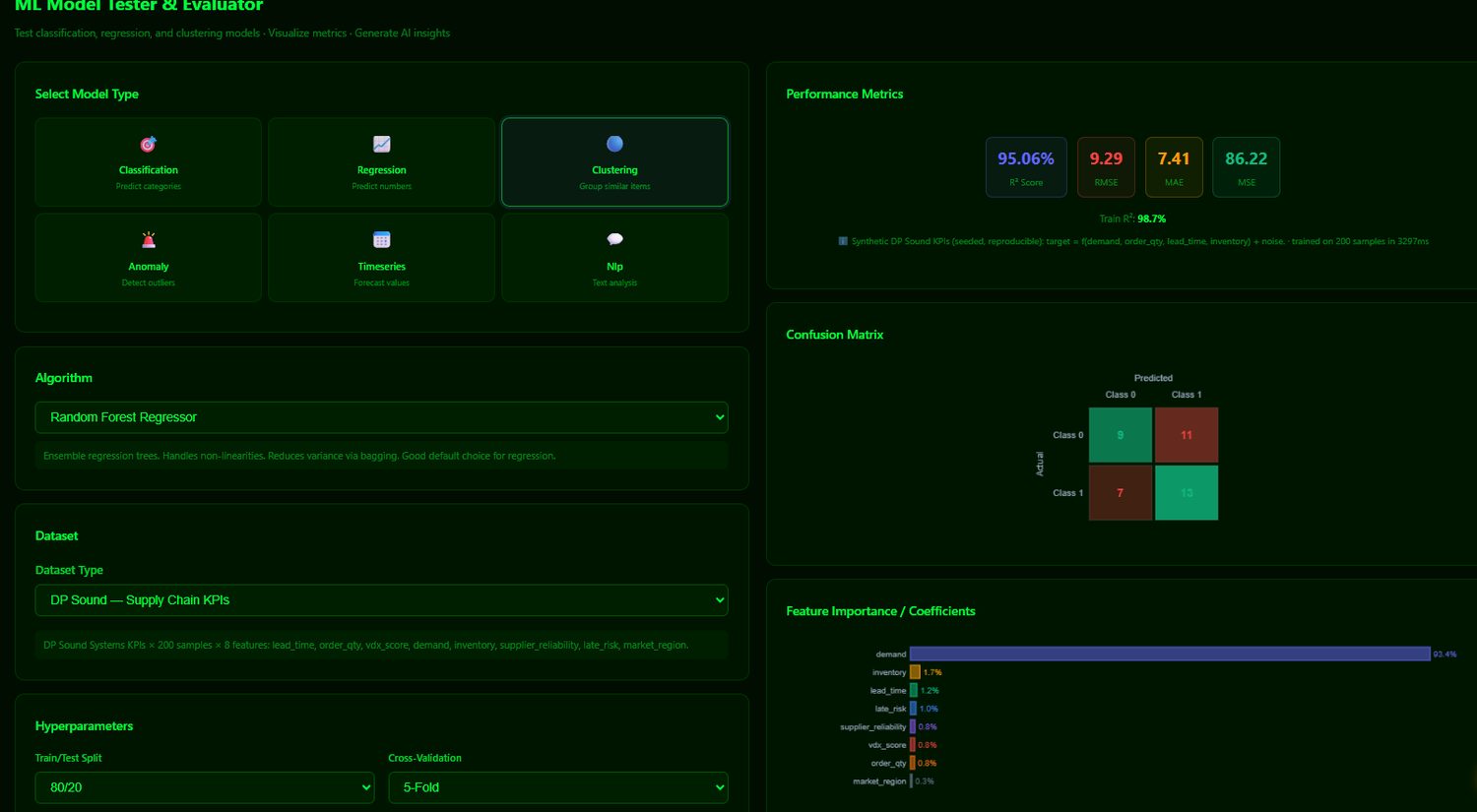
Regression on Business Data
Switching to regression on the DP Sound supply-chain dataset shows the tester on domain data. A Random Forest Regressor predicting demand reaches an R² of 95%, and the feature importances put demand at the top — the model correctly identifies the dominant driver in the data.
Experiments Worth Running
Because the training is real, the tester rewards experimentation — the results respond to what you change, and change in ways that teach:
- Tune a hyperparameter. Set max depth from 10 to 1 on the Wine tree and watch accuracy fall sharply — a shallow tree cannot separate three cultivars. Raise it back and accuracy returns.
- Compare algorithms on one dataset. Run Logistic Regression, then Random Forest, then SVM on the same data and compare their confusion matrices and AUCs.
- Watch the learning curve. A widening train-validation gap is overfitting; try more cross-validation folds or a simpler model and see it narrow.
- Read the importances against the domain. Flavanoids for wine, petal width for iris, demand for a demand-driven target — the model surfaces what actually matters.
- Get AI Analysis. After a run, the built-in insights button has the local model interpret the metrics in plain language.
Try It
Open AI Tools → ML Tester, start with Wine Quality and a Decision Tree, and train. Then change one thing at a time — the algorithm, the depth, the dataset — and watch every panel respond. It is a fast, safe way to build intuition for how models actually behave, from confusion matrices to overfitting, without writing a line of code.
Comments (0)